How to Add Chapters and Timestamps to a YouTube Video
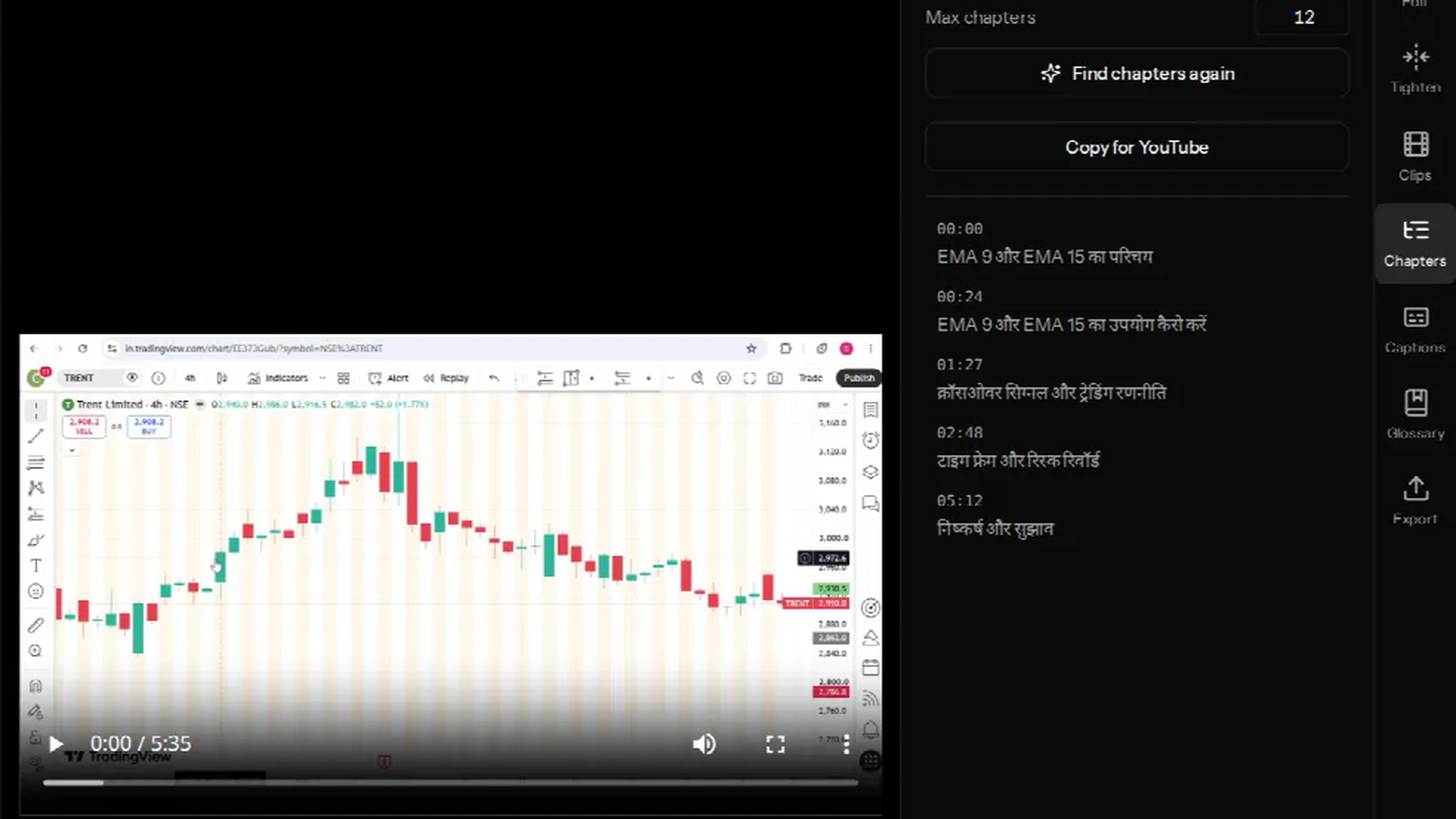
YouTube builds a chapter list from the timestamps in your video description — it has no separate chapters field. Get the format right and the progress bar splits into named sections; get it slightly wrong and nothing appears at all, with no error to tell you why.
VidCarve reads your transcript, proposes an outline, and gives you a Copy for YouTube button that emits exactly the block YouTube parses. This guide covers both halves: the rules, and how to generate the list.
The short version
- Open the Chapters tab in the editor.
- Set how many chapters at most — the default is 12; anything from 2 to 30 is accepted.
- Press Find chapters and wait a minute or two.
- Click any marker to jump there and check it landed on a real boundary.
- Press Copy for YouTube and paste the block into your video description.
What does YouTube need before chapters appear?
Three rules, all of them silent failures if broken:
- The first timestamp must be
0:00. This is the one people miss. A description that starts at 0:42 gets no chapters at all, however many timestamps follow it. - You need at least three timestamps, in ascending order.
- Each chapter must run at least ten seconds. Two marks eight seconds apart are not two chapters.
The format is MM:SS Title, one per line, and it switches to H:MM:SS once you pass an hour. That last point trips people up on long recordings: 72:15 is not a chapter mark to YouTube, and 1:12:15 is. VidCarve emits whichever form is correct for the position, so a two-hour lecture copies out right without you thinking about it.
How do you generate chapters from a transcript?
Open the Chapters tab. There is one control and one button.
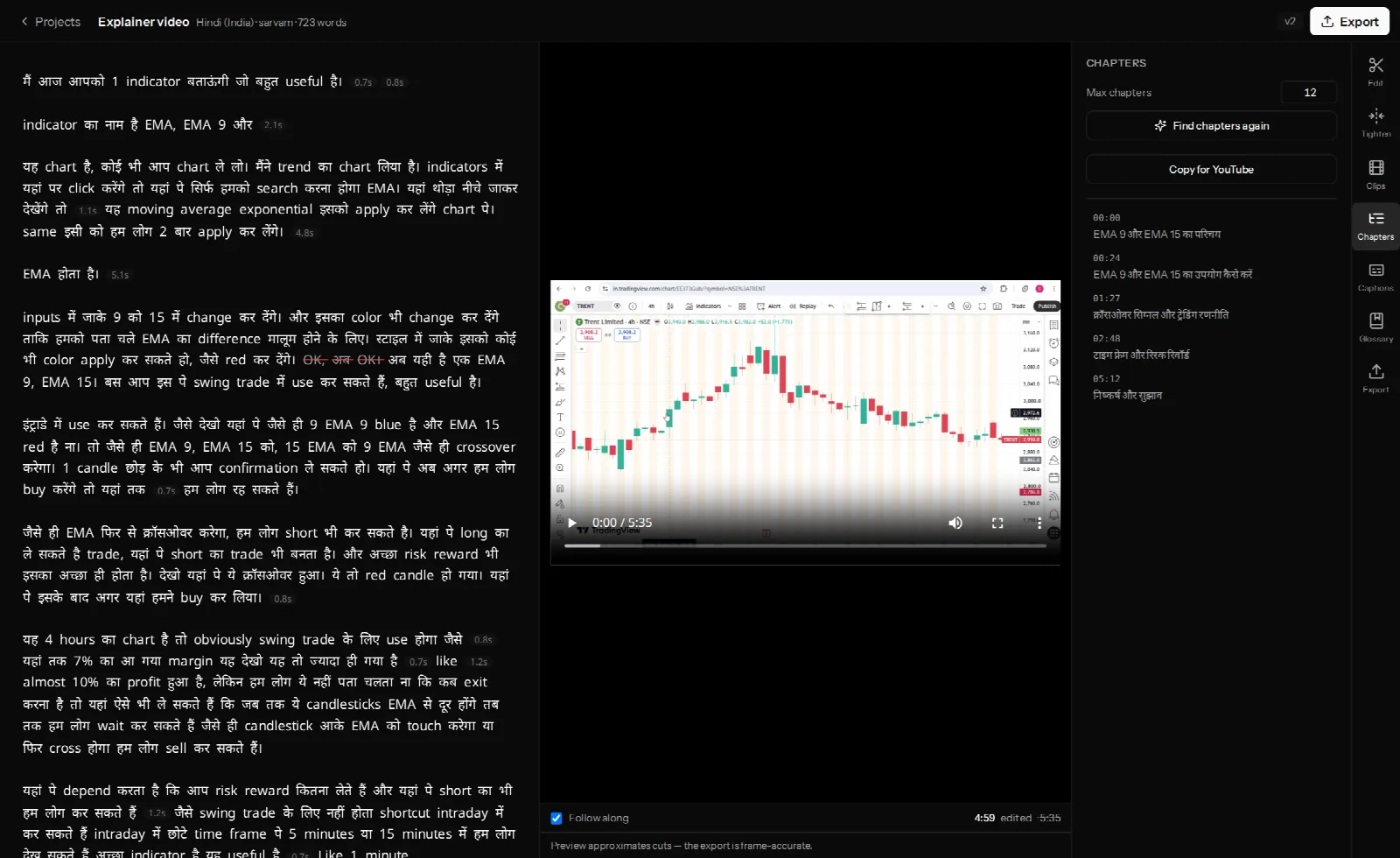
A run reads the whole transcript looking for topic boundaries, then writes a title for each section. It takes a minute or two and you can keep editing while it runs. A project has exactly one outline, so a second run replaces the first — the button reads Find chapters again once you have one.
Titles are written in the language the video is in. A Hindi video gets Hindi chapter titles, which is what you want in a Hindi description.
How many chapters should a video have?
Max chapters is a ceiling, not a target. Ask for 12 and a short, single-topic video may sensibly come back with five. Ask for 12 on a three-hour lecture and you will get twelve, with the most tightly-spaced boundaries thinned out to fit.
Two things constrain the result regardless of what you ask for:
- Markers closer than 20 seconds are merged. That is deliberately stricter than YouTube's own ten-second floor, because a chapter is a topic, not a beat. Two marks that close are usually the same boundary found twice.
- The 0:00 opener always survives the thinning, because an outline without it is not a chapter list at all.
As a rule of thumb: four to eight for anything under half an hour, eight to twelve for a long interview or lecture. More than that and viewers stop reading the list.
How do I check the outline before publishing?
Click each marker. The preview jumps to that moment, so you can hear whether the boundary is where the topic actually turns rather than a sentence early.
What you are looking for is the classic failure of any automatic outline: a section title that describes the first sentence rather than the section. If you find one, re-run — a run with a different chapter count often resolves it, because the model is dividing the same talk into different-sized pieces.
One thing worth knowing about the timestamps
The outline is built from the full transcript, and its timestamps are positions in your original recording. If you have cut the video in VidCarve, the exported file is shorter and everything after the first cut has moved earlier.
The practical habit: chapter the video you are actually going to upload. If you are publishing the recording largely as-is, the marks are right. If you have cut heavily and want chapters on the exported cut, check the first two marks against the finished file and shift the rest.
Why bother with chapters at all?
Three reasons, in order of how much they matter for a small channel:
- Retention. A viewer who can see the video has a structure is likelier to start it and likelier to find the part they came for instead of leaving.
- Search. Chapters can surface as "key moments" in results, which puts a second entry point on the same video.
- Your own description. A timestamp list is the fastest video summary you can write, and you get one for free from the transcript.
They also translate directly to podcast apps, most of which read the same kind of list from show notes.
Frequently asked questions
Why are my YouTube chapters not showing up?
Nine times out of ten the first timestamp is not 0:00. After that, check you have at least three of them, that each section is at least ten seconds long, and that everything past an hour uses H:MM:SS.
Can I edit the chapter titles?
Edit them wherever you paste them — YouTube's description box is the source of truth for what viewers see. In the editor the outline is generated rather than hand-edited, so a re-run is how you change it there.
Do chapters work for Hindi and other Indian languages?
Yes, and the titles come back in the video's own language and script. See accurate Hindi, Hinglish and regional-language transcripts for what decides that transcript's quality, since the outline inherits it.
How long does finding chapters take?
A minute or two, depending on the length of the transcript. It reads the whole document rather than sampling it, which is why it is not instant.
Can I get chapters without transcribing first?
No. The outline is derived from the transcript, so the video has to be transcribed. The button stays disabled until it is.
Next steps
- Turn a long video into vertical clips for Reels and Shorts — the other way to get more out of one recording.
- Edit a video podcast from start to finish — where chapters fit in the episode workflow.
- The complete beginner's guide to editing in VidCarve