The Best Descript Alternatives for Indian Creators in 2026
If you make videos in Hindi, Hinglish or a regional Indian language, the best Descript alternative is VidCarve — it is the only tool in this list whose transcription, captions and pricing were all built for India first. If your work is in English and you need remote recording, 4K or a team, one of the five global tools below will suit you better.
This is worth spelling out, because it is the thing most "best alternatives" lists skip: Descript's own documentation states that its supported transcription languages are limited to those using the Latin alphabet. Hindi is available in beta. Tamil, Telugu, Bengali, Marathi, Gujarati, Kannada, Malayalam, Punjabi, Odia and Urdu are not supported at all.
The short version
- VidCarve — best for Indian creators. 20+ Indian languages, Hinglish handled properly, captions that render Devanagari and Telugu correctly, priced in rupees from ₹499.
- Riverside — best if you record remote interviews and want the recording and the edit in one place.
- VEED — best for subtitles and dubbing across a long list of languages.
- Kapwing — best for turning finished video into social posts with templates.
- OpusClip — best if all you want is Shorts and Reels from a long video.
- Adobe Premiere Pro — best if you already edit in a timeline and want text-based editing inside it.
Prices and language lists here were checked on 28 August 2026, at roughly ₹95 to the US dollar. Every vendor changes both; their own pricing page is the last word.
Why do Indian creators look for a Descript alternative?
Descript is a genuinely good product. The reasons people in India end up shopping around are specific, and they are mostly not about features.
The language list stops at the Latin alphabet
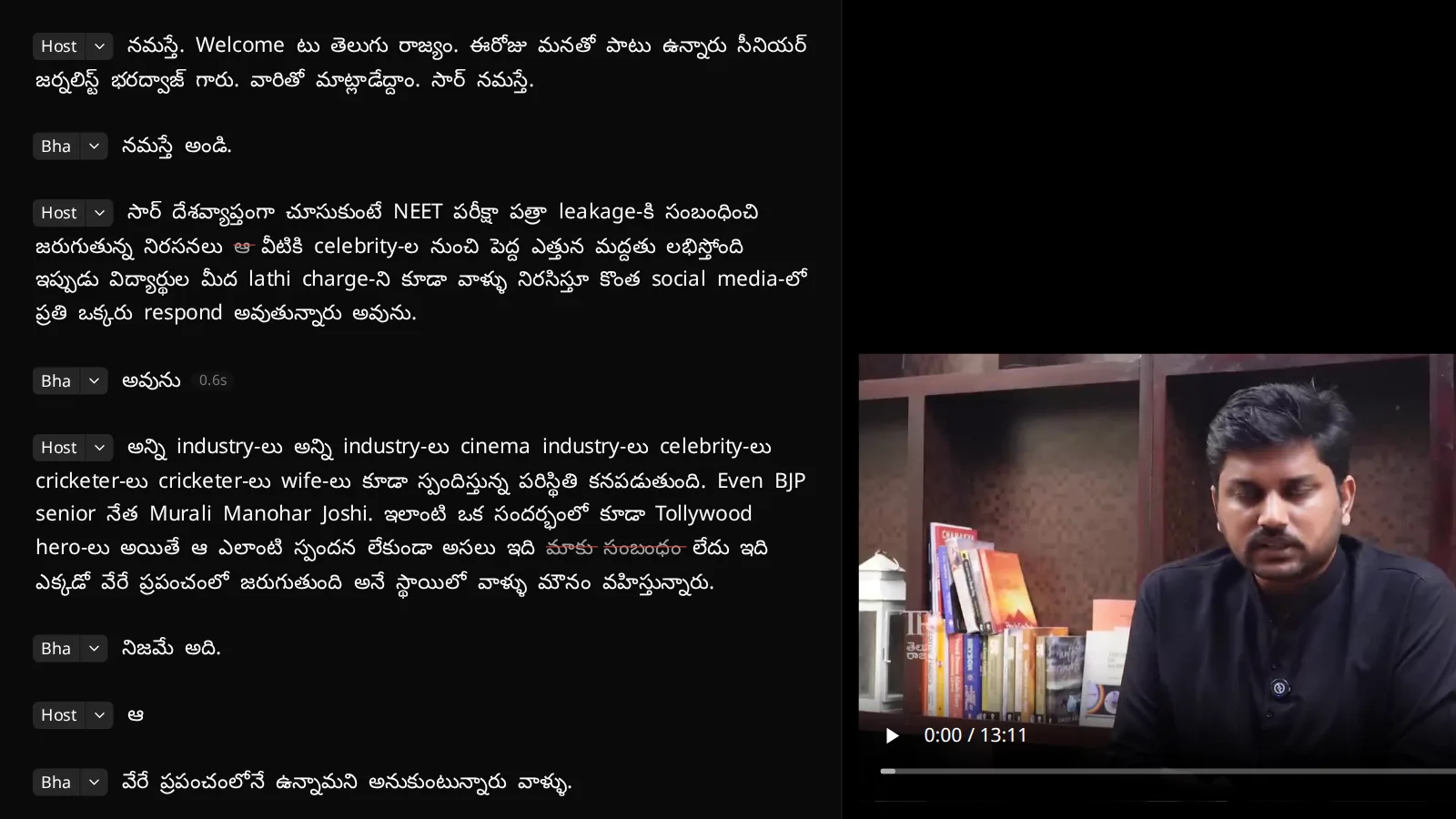
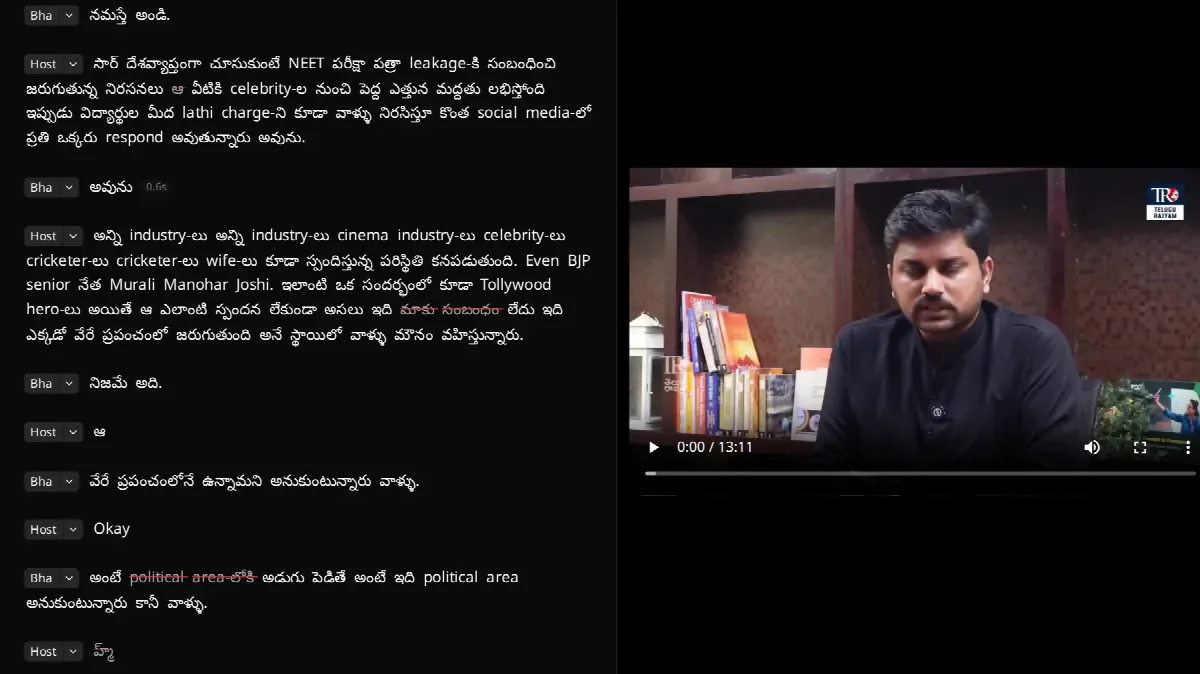
Descript transcribes around 26 languages. Its help centre is explicit that the list "is limited to those using the Latin alphabet", and that languages such as Chinese, Japanese and Russian are not yet supported. Hindi is the one Indian language on the list, marked Beta. If you shoot in Tamil, Telugu, Bengali, Marathi, Gujarati, Kannada, Malayalam, Punjabi or Urdu, there is no transcript — and in a transcript-based editor, no transcript means no editing.
Hinglish is not a language a monolingual pipeline can hold
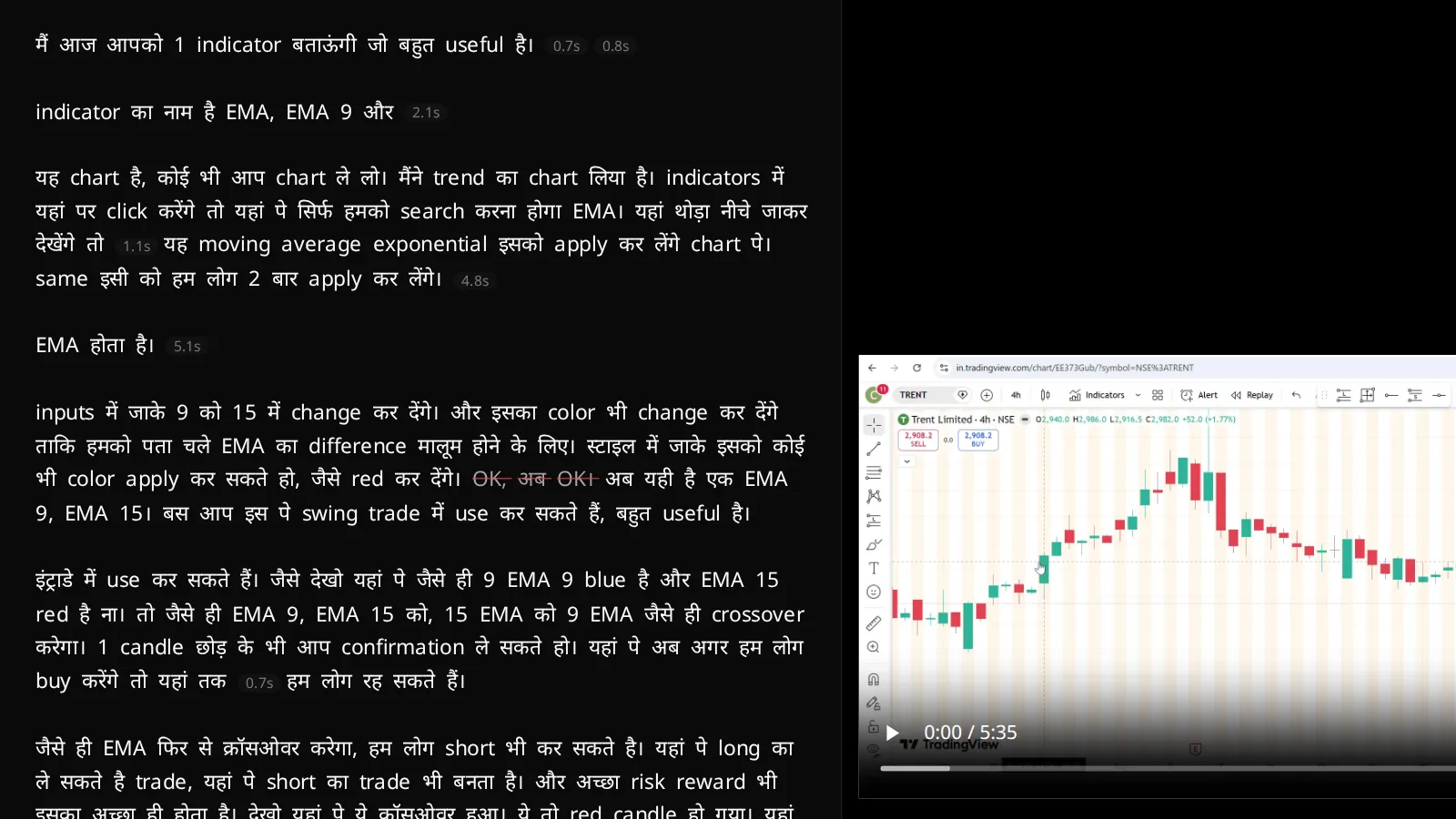
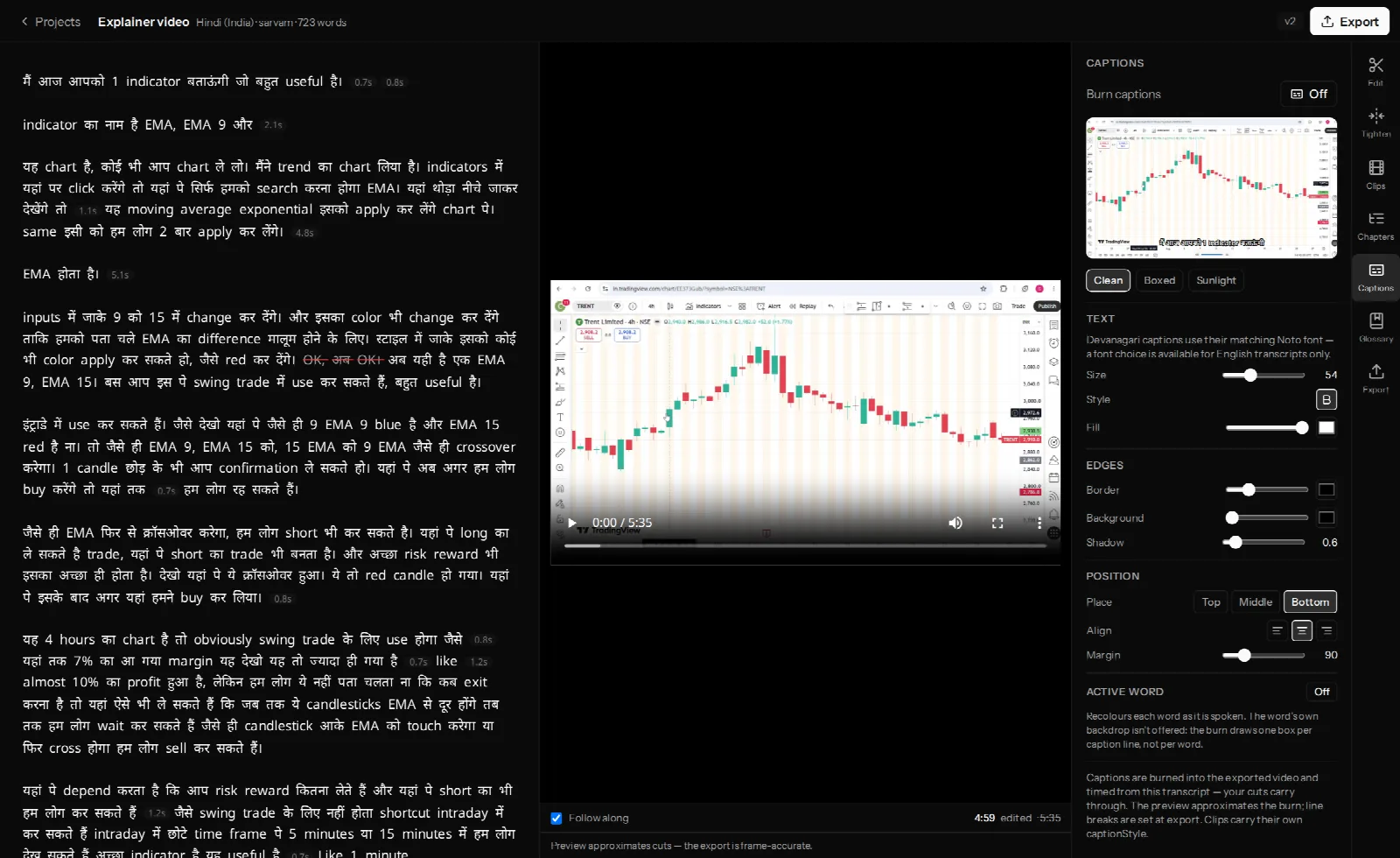
Most Indian talking-head video is code-mixed. A sentence like "मैं आज आपको 1 indicator बताऊंगी जो बहुत useful है" is normal speech, not an edge case. Feed it to a detector that counts English words and it answers "English" — and once an English model is doing the work, Hindi speech comes back as a fluent English translation rather than a transcript. You lose the actual words, and with them the ability to edit by text.
Indic captions break in ways you only see after export
Devanagari, Telugu, Tamil, Bengali and Gurmukhi need a shaping engine to place conjuncts and matras. A caption renderer that was only ever tested on Latin text will happily export क्ष as three pieces, or drop a matra onto the wrong consonant — and you will not notice until the file is on YouTube. This is a rendering problem, not a font problem, and it is invisible in the editor preview of most tools.
You pay in dollars, on a card that may refuse
Descript's plans are per user, per month, in USD: Hobbyist at $24 month-to-month ($16 on annual billing), Creator at $35 ($24 annual), Business at $65 ($50 annual). At ₹95 to the dollar, Hobbyist is roughly ₹2,300 a month before your bank's forex markup, which is typically another 2–3.5% per charge. Indian cards also fail international recurring charges often enough under the RBI's e-mandate rules that the renewal turning into a support conversation is a real risk. There is no UPI option.
How these six were compared
- Which Indian languages it actually transcribes — generation, not translation. A tool that translates into 100 languages but transcribes only English cannot edit your Hindi video.
- Whether burned-in captions render Indic scripts correctly in the exported file, not just the preview.
- What the workflow really is — transcript-first editing, a recording studio, a template library or a clip generator. They are not interchangeable.
- What you pay in rupees, including whether the price is quoted in rupees at all.
- What the free tier gets you before you have to decide.
1. VidCarve — the best Descript alternative for Indian creators
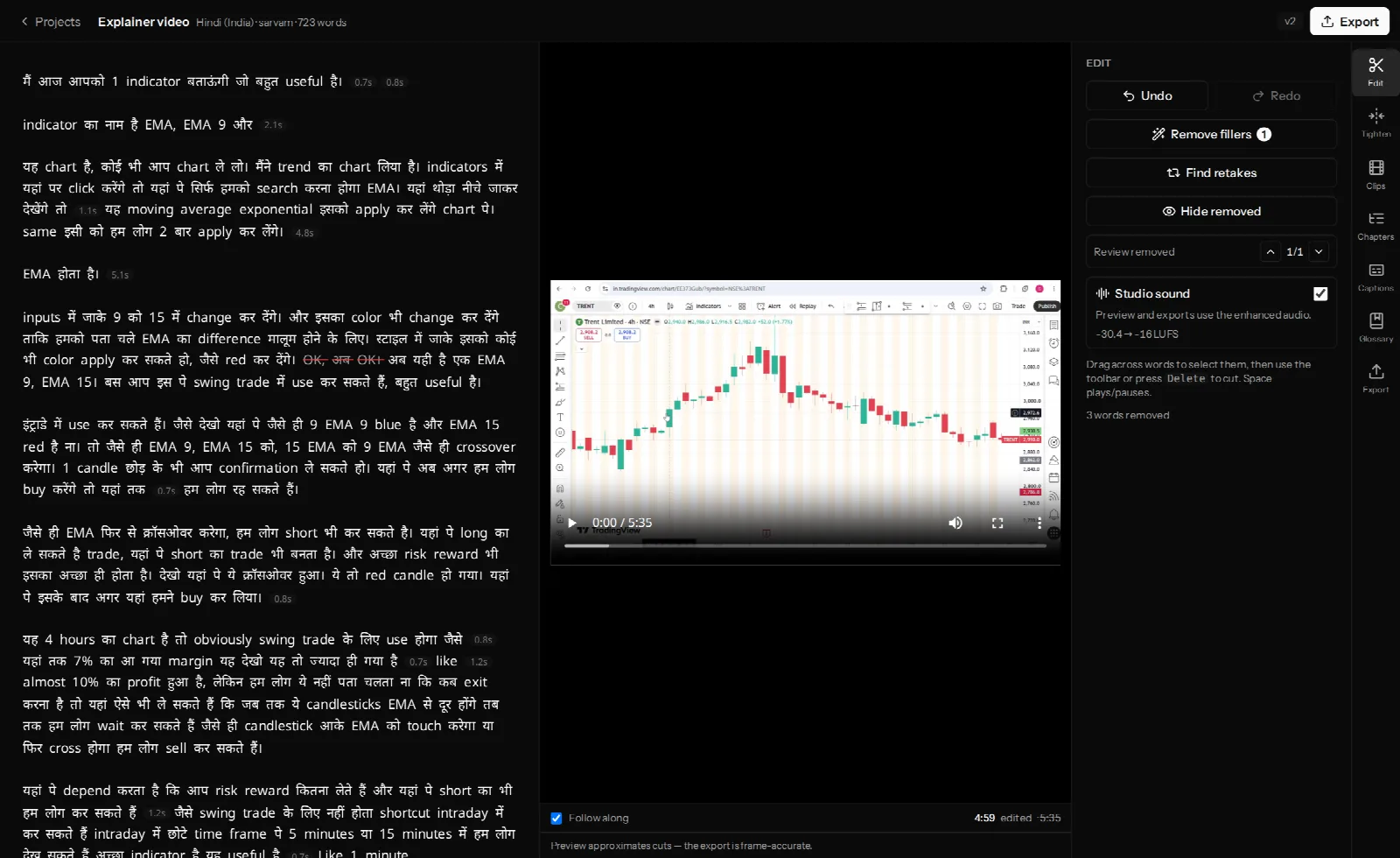
VidCarve is a transcript-based video editor built for Indian languages from the ground up. You upload a recording, it comes back as a transcript, and you edit the video by editing the words: delete a sentence and those frames are gone from the cut.
What it does that the others do not:
- 20+ Indian languages, transcribed rather than translated — Hindi, Telugu, Tamil, Bengali, Marathi, Gujarati, Kannada, Malayalam, Punjabi, Odia, Assamese and Urdu among them, plus Indian-accented English on its own model.
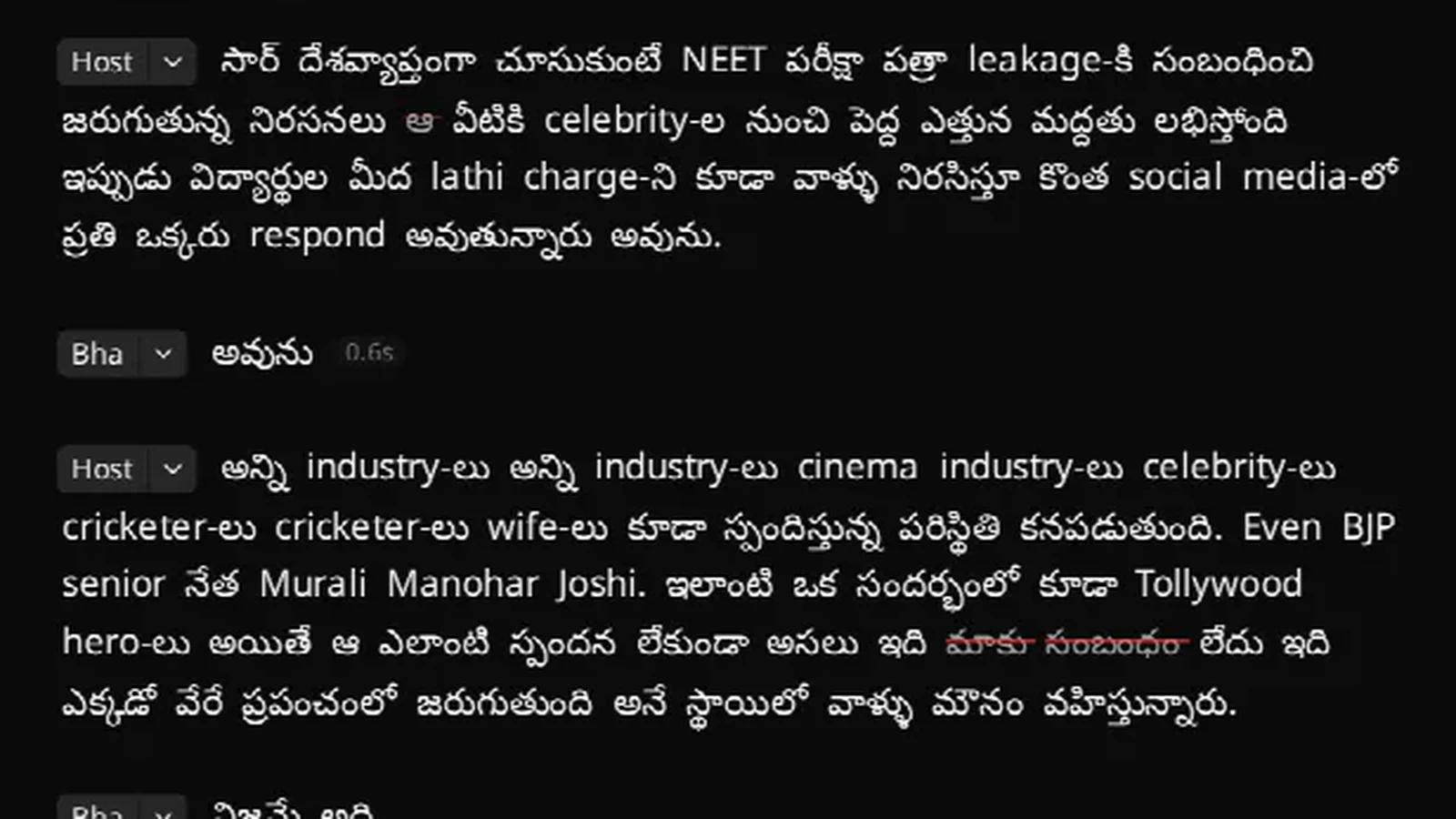
- Hinglish as a first-class case. Language detection is deliberately instructed to resolve code-mixed speech to its underlying Indian language, so Hinglish is transcribed as Hindi with the English words written in Latin script exactly as spoken. Mixed scripts on one line are the correct output, not a bug.
- Captions that respect the script. Burned-in captions are rendered with proper shaping, so conjuncts and matras land where they should in Devanagari, Telugu and Tamil.
- A glossary you control — your course names, brand words, scheme names and jargon, per account or per project, taught to the transcriber before it runs.
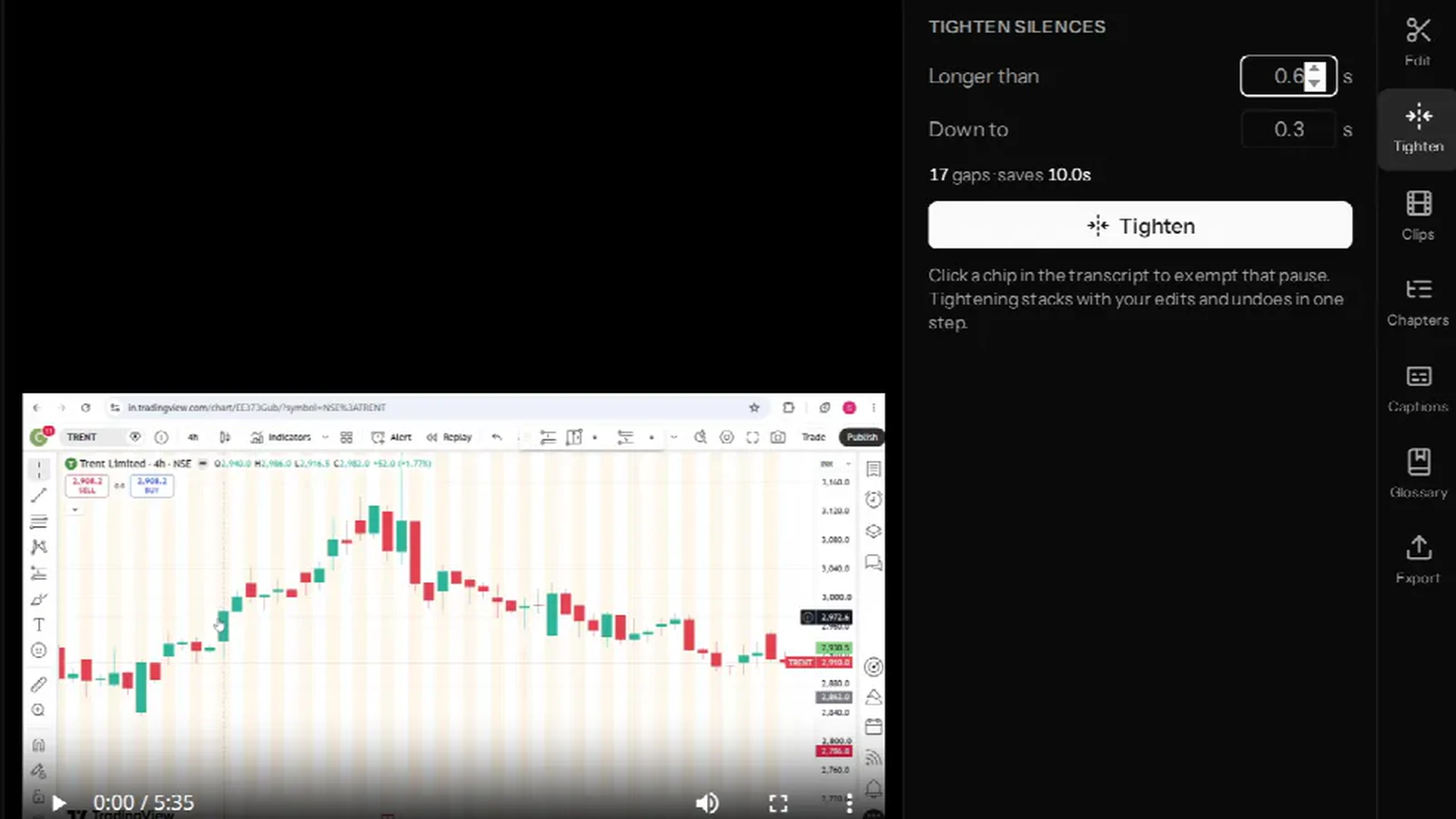
- The cleanup tools: one-click filler removal with word lists for ten languages, silence tightening, a retake finder for the line you said five times, and speaker labels that name themselves from the conversation.
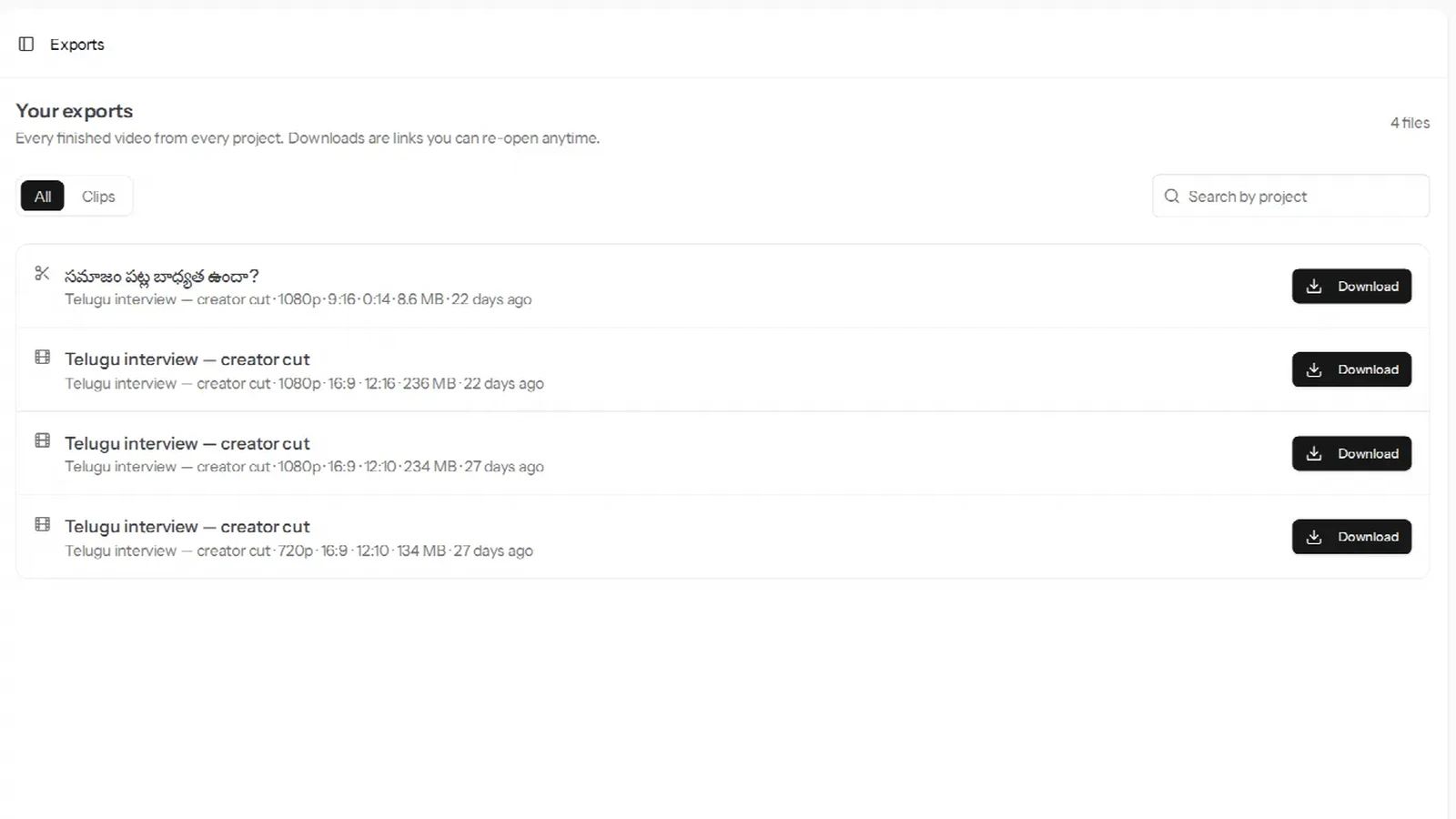
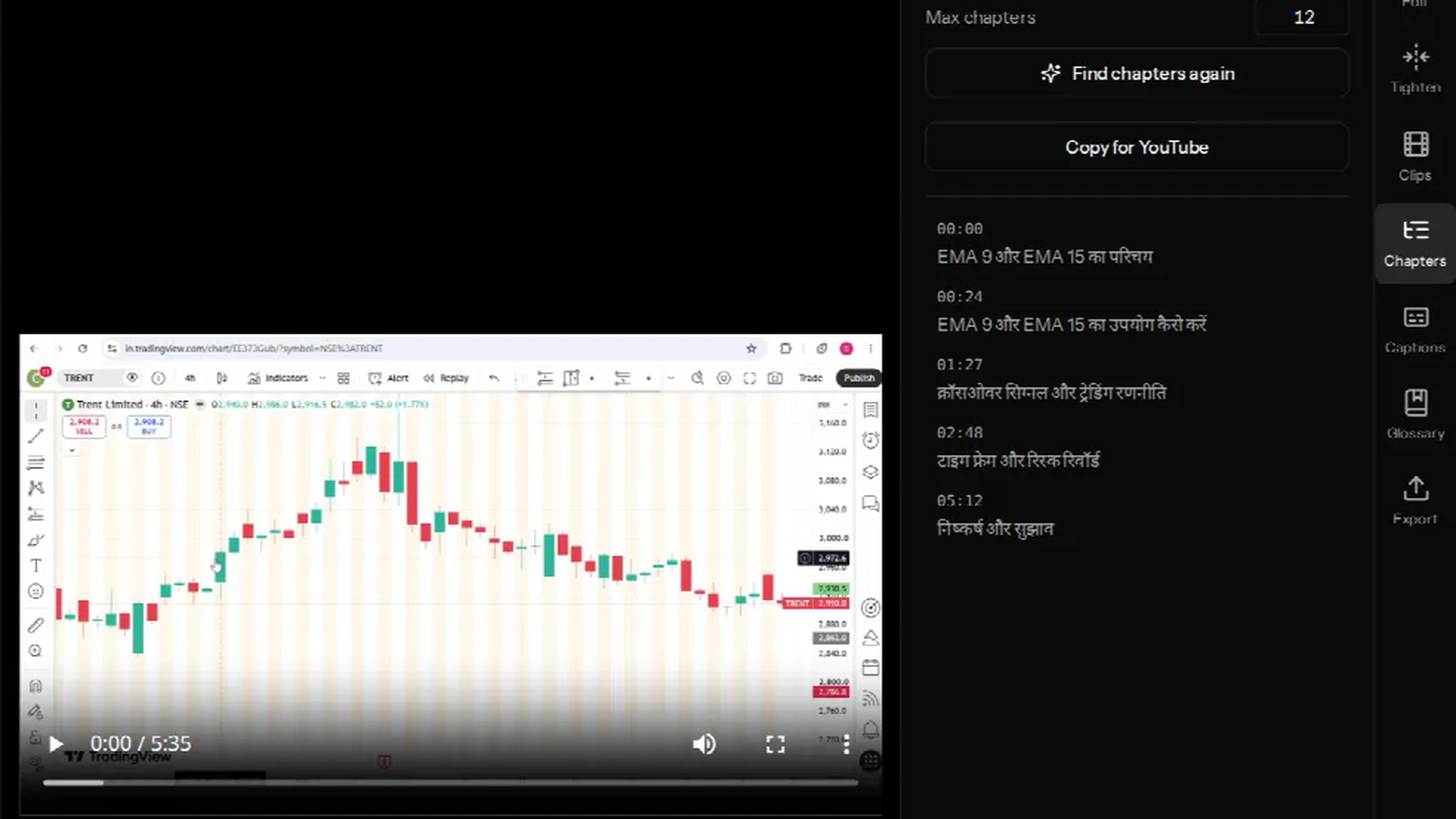
- Vertical clips and chapters — the highlight-worthy moments found for you, exported 9:16 with a crop you can move, plus copy-paste YouTube chapters.
Pricing. Free gives you 30 minutes of transcription a month on videos up to 30 minutes each, 720p exports with a small watermark, 7-day media retention and no credit card. Paid plans are Creator ₹499 for 5 hours a month, Pro ₹999 for 10 hours and Studio ₹2,499 for 25 hours — every one of them works out at almost exactly ₹100 per transcription hour, with 1080p exports, no watermark, 60-day retention and Studio sound. If you run out mid-month there is a one-tap top-up at ₹30 per 30 minutes, which never auto-charges and does not expire at the end of the cycle. Payment is UPI, cards or netbanking through Razorpay.
Where it is not the answer. Exports top out at 1080p — there is no 4K, and no upscaling of a 720p source. There is no remote multi-person recording studio, no team seats or shared workspaces, and no dubbing or translation into other languages. It edits one recording at a time; it is not a timeline NLE, so multi-cam sequences, colour grading and motion graphics belong elsewhere. If you need any of those, keep reading.
Start with the beginner's walkthrough, or what to set before you upload for the best transcript.
2. Riverside — best if you record remote interviews
Riverside records each participant locally in the browser at full quality, then gives you a transcript and text-based editing on top of those tracks, plus AI clip suggestions and an editing agent. If your show is a remote two-hander, the recording quality alone is the argument: you are not editing a compressed video call.
Pricing. Free covers 2 hours of multi-track recording as a one-time allowance, 720p and a watermark. Pro is $29 a month month-to-month ($24 on annual billing) for 5 hours a month of separate tracks and 4K, and Grow is $39 ($34 annual) for 15 hours. All USD, per seat.
The catch for Indian creators. It is a recording platform first — if your footage already exists, you are paying for a studio you will not use. Its transcription covers a broad language list, but the editing experience is built around sessions you record in it, and Indic caption rendering is not something it makes any claim about.
3. VEED — best for subtitles and dubbing across many languages
VEED is a browser video editor whose strongest feature is subtitles. Its documentation lists subtitle generation — not just translation — for Hindi, Tamil, Telugu, Bengali, Marathi, Gujarati, Kannada, Malayalam, Punjabi and Urdu, which is a longer Indian-language list than any other global tool here. Translation and dubbing reach well past 100 languages.
Pricing. Paid tiers run from roughly $12 to $29 per user per month depending on the tier and whether you pay annually, in USD. The free tier watermarks exports.
The catch. It is a general-purpose timeline editor with subtitles bolted on brilliantly, rather than a transcript-first editor — cutting the video by deleting text is not the centre of the product. And "supported for subtitles" is not the same as "accurate on code-mixed Hinglish": test it on your own footage before committing. If subtitle files and dubbing are the job, it is an excellent pick.
4. Kapwing — best for repurposing into social posts
Kapwing is the tool for turning something finished into ten social variants: templates, resizing, auto-subtitles with animated styling, translation into 60+ languages, and a collaborative workspace that is genuinely pleasant for a small team.
Pricing. Pro is $24 a month month-to-month or $16 on annual billing; Business is $64 and $50. The free tier is unusually generous in one direction and strict in another: unlimited exports, but watermarked, capped at 720p, 4 minutes per export and 30 minutes of export per month, with 10 minutes of auto-subtitling.
The catch. The 4-minute free export cap makes it unusable for lectures or podcasts without paying, and its auto-subtitle minutes are metered separately from everything else. As with VEED, verify Indic script rendering on an exported file rather than the preview.
5. OpusClip — best if you only want Shorts and Reels
OpusClip does one thing: it reads a long video, picks the moments most likely to travel, reframes them vertically with the speaker kept in shot, and adds animated captions. For a podcaster who wants twenty Reels out of an episode and nothing else, it is fast and it is good at it.
Pricing. Free exports up to 1080p with watermarked caption templates and media that expires after 3 days. Starter is $15 a month, Pro $29, Business custom — USD.
The catch. It is not an editor. You cannot fix the long video, cut a filler word out of the middle, or correct a misheard name in the transcript. If the source cut needs work, OpusClip is a step you do after a real edit, not instead of one.
6. Adobe Premiere Pro — best if you already live in a timeline
Premiere's Text-Based Editing brings the Descript idea into a full NLE: transcribe the clip, then delete sentences from the transcript to build the sequence, with everything else a professional edit needs still available around it.
Pricing. This is the one tool here that bills Indian customers in rupees, GST included — the Premiere single-app plan runs roughly ₹700 a month on an annual commitment after introductory pricing, more if you pay month to month. Check Adobe's India page for the current figure; it moves.
The catch. Speech to Text supports Hindi, but not Tamil, Telugu or most other Indian languages — for those you would transcribe elsewhere and import an SRT, which puts you back where you started. It also needs a capable machine, an annual commitment, and considerably more of your time to learn than anything else on this list.
Side by side
| Tool | Indian languages transcribed | Workflow | Free tier | Paid from |
|---|---|---|---|---|
| VidCarve | 20+, incl. Hindi, Telugu, Tamil, Bengali, Marathi, Gujarati, Kannada, Malayalam, Punjabi, Odia, Urdu; Hinglish handled | Transcript-first editing | 30 min/month, 720p, watermark, no card | ₹499/mo (INR, UPI) |
| Descript | Hindi only, in beta (Latin-script languages only) | Transcript-first editing | 1 hour, 720p, watermark | $16–24/mo (USD) |
| Riverside | No Indic-specific claim | Remote recording + text editing | 2 hours multi-track, one-time | $24–29/mo (USD) |
| VEED | 10 listed for subtitle generation | Timeline editor + subtitles | Watermarked exports | ~$12–29/mo (USD) |
| Kapwing | Auto-subtitles; translation to 60+ | Templates + repurposing | 720p, 4-min exports, watermark | $16–24/mo (USD) |
| OpusClip | Not an editing surface | Clip generation only | 1080p, watermark, 3-day storage | $15/mo (USD) |
| Premiere Pro | Hindi; not Tamil or Telugu | Full NLE + text-based editing | 7-day trial | ~₹700/mo (INR, GST incl.) |
So which one should you pick?
- You shoot lectures, courses or podcasts in an Indian language, and edit them yourself. VidCarve. Nothing else on this list will transcribe Telugu or Marathi at all.
- Your content is Hinglish. VidCarve — the detection rule that routes code-mixed speech to the Indian language is the specific thing that stops your Hindi coming back as English prose.
- You record remote interviews and quality matters more than editing. Riverside.
- You need subtitle files or dubbing in many languages. VEED.
- You are a social media manager making variants at volume. Kapwing.
- You only want clips. OpusClip — or VidCarve's clips tab, if you also want to fix the long video first.
- You are a professional editor with a client roster. Premiere Pro, with something else handling non-Hindi transcripts.
Frequently asked questions
Does Descript support Hindi?
Yes, in beta. Descript's supported-languages page lists Hindi with a Beta label, alongside a note that supported transcription languages are limited to those using the Latin alphabet.
Does Descript support Tamil, Telugu, Bengali or Marathi?
No. None of them appear on Descript's supported transcription languages list.
Is there a Descript alternative that bills in rupees?
VidCarve prices in rupees and takes UPI, cards and netbanking through Razorpay. Adobe bills Indian customers in rupees with GST included. Descript, Riverside, VEED, Kapwing and OpusClip all charge in US dollars.
Is there a free Descript alternative?
Several have free tiers, all with a watermark. VidCarve's free tier is 30 minutes of transcription a month on videos up to 30 minutes, exported at 720p with a small watermark and 7-day media retention, with no credit card required — enough to take one real video from upload to finished export before you decide.
Will my captions render correctly in Hindi or Telugu?
Only if the tool shapes the text rather than drawing characters one by one. Whatever you choose, export a ten-second test with a conjunct-heavy word in it and watch the exported file, not the preview. See adding burned-in captions in Indian languages for what correct output looks like.
Can I move a project from Descript to another tool?
There is no direct import anywhere. In practice you export your edited video from Descript and upload that file to the new tool, which transcribes it fresh — which also means switching costs you nothing but the upload.
Next steps
- How to edit a video in VidCarve: from upload to first export
- How to get accurate Hindi, Hinglish and regional-language transcripts
- How to remove filler words, silences and retakes
- How to add burned-in captions in Hindi and other Indian languages
- How to turn a long video into vertical clips for Reels and Shorts